Pay for an order using the steps below:
When a trader has placed an order ad did not pay for it, the trader can pay later following the below steps.
1. Tap on the ''History'' button. 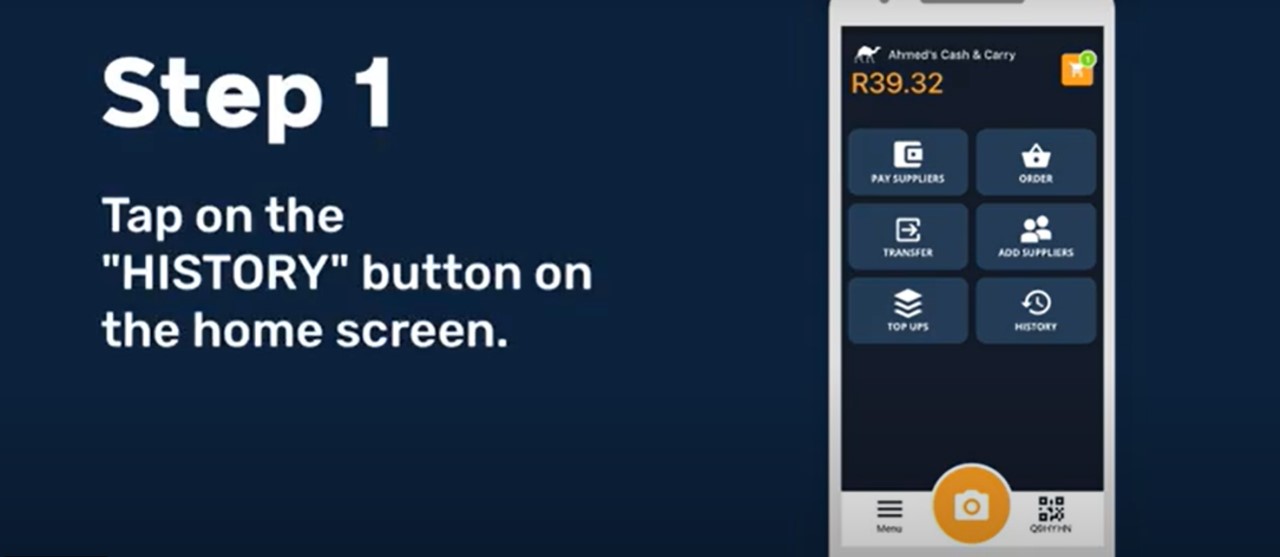
2. Tap on orders. 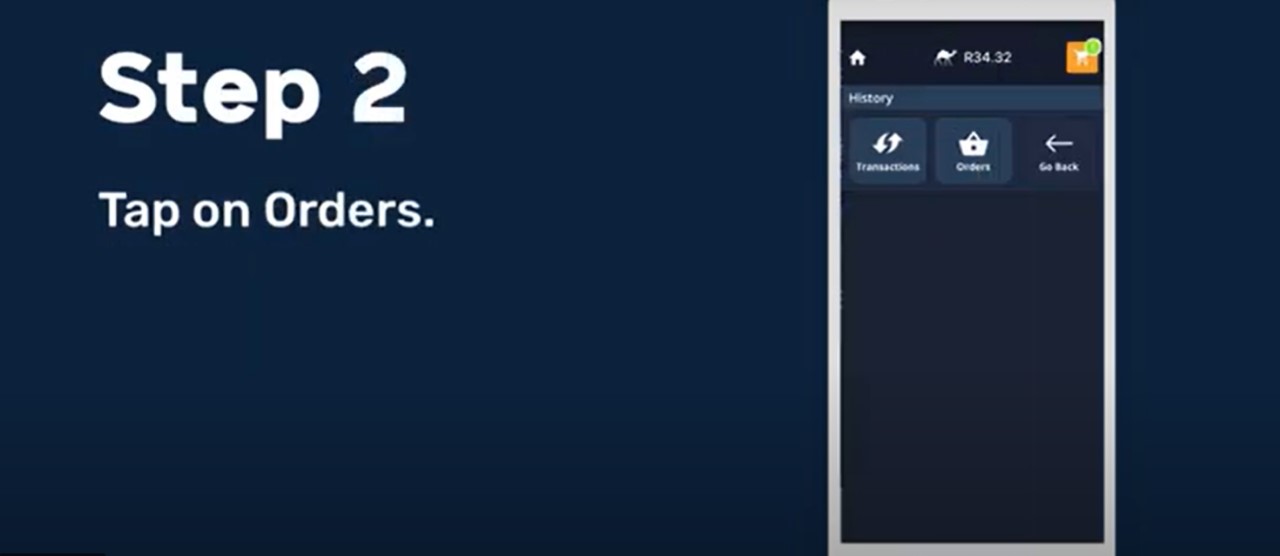
3. Swipe under ''Unpaid Orders''.
4. Select the order you wish to pay. 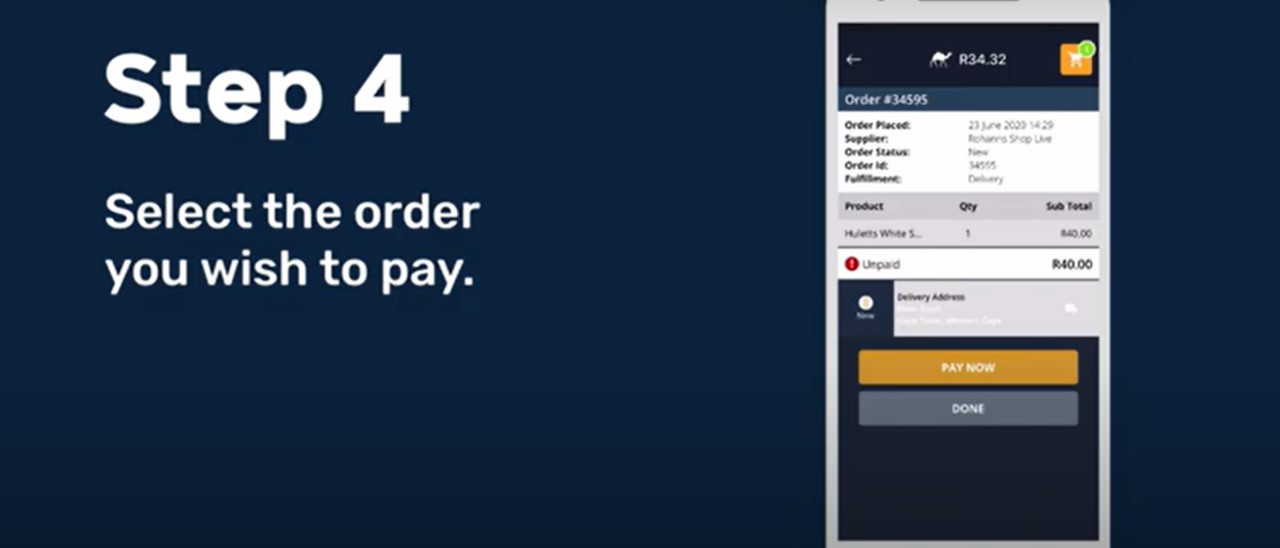
5. Select ''Pay Now'' 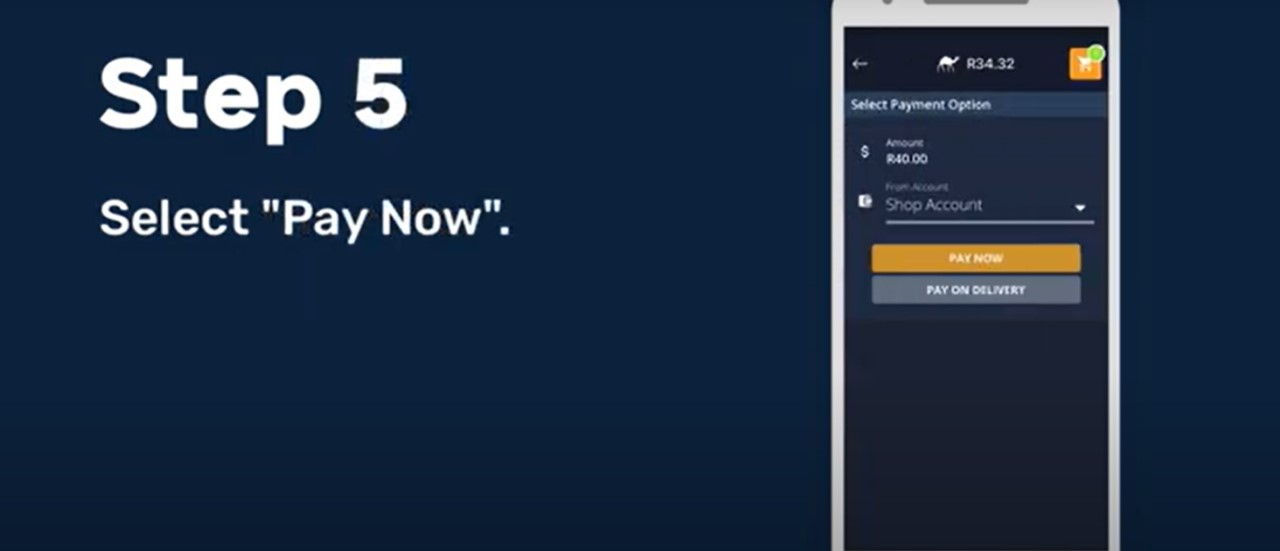
6. Select the Account you would like to pay. 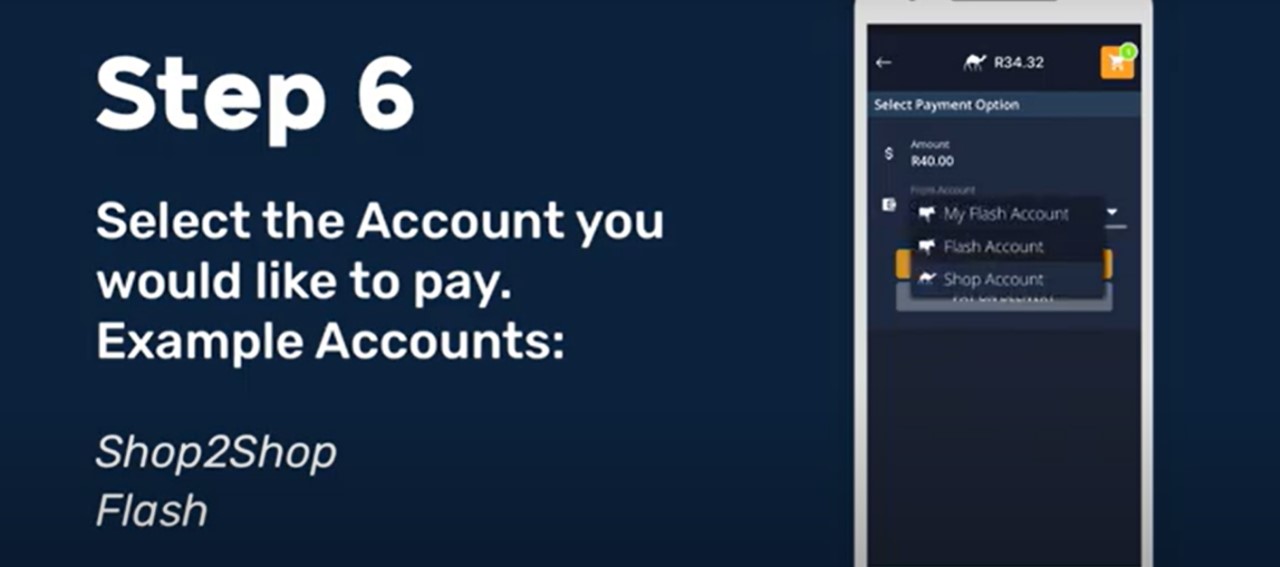
7. Confirm the order and proceed to pay.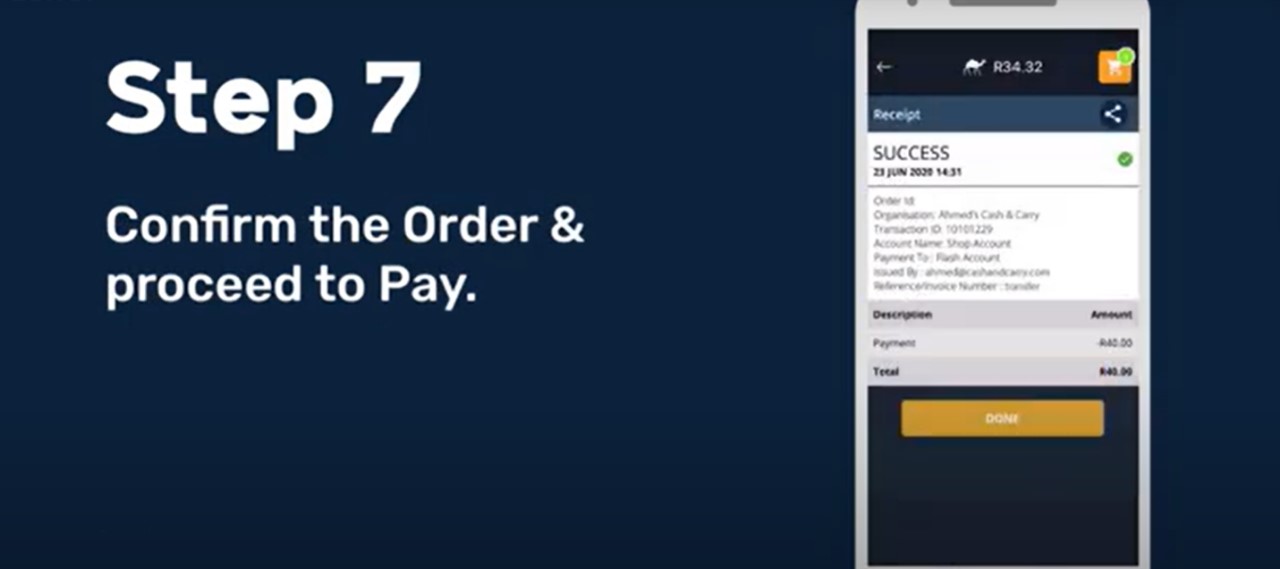
How To Video
Comments
0 comments
Please sign in to leave a comment.